|
||
| Products Download Events Support Videos | ||

Product Information
Device Database®
Downloads
Compliance Testing
Distributors
Peripheral Simulation
For Toshiba TMPM330FDFG — Serial I/O Channels 0-2 (SIO)
Simulation support for this peripheral or feature is comprised of:
- Dialog boxes which display and allow you to change peripheral configuration.
- VTREGs (Virtual Target Registers) which support I/O with the peripheral.
These simulation capabilities are described below.
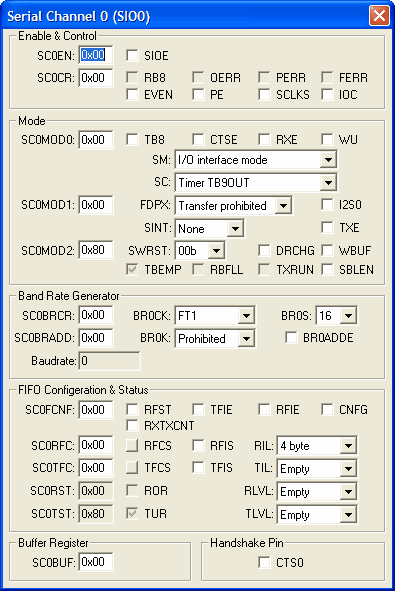
Serial I/O Channel 0 Dialog
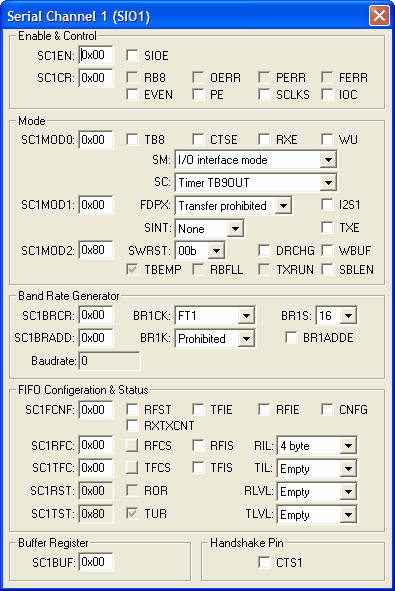
Serial I/O Channel 1 Dialog
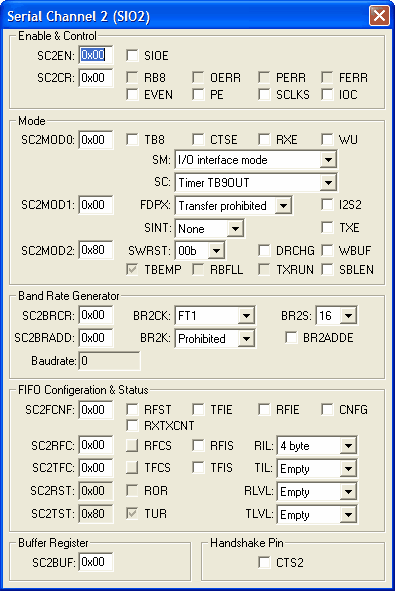
Serial I/O Channel 2 Dialog
SxCLK VTREG
Data Type: unsigned long
The SxCLK VTREG allows you to control the timing of the simulated serial port 0, 1, and so on.
- A value of 1 (which is the default) indicates that the serial port timing is identical to the target hardware. Use this value when you want to see the effects of baud rate on the serial port I/O.
- A value of 0 indicates that all serial input and output occur instantaneously. Use this value when you don't care about any baud rate effects or when you want serial output to be fast.
For example:
S0CLK = 0   /* Set Serial Port 0 for FAST timing */
S0CLK = 1   /* Set Serial Port 0 for accurate timing */
SxIN VTREG
Data Type: unsigned short
The SxIN VTREG represents the serial input of the simulated microcontroller. Values you assign to SxIN are input to the serial channel 0, 1, 2, and so on. You may assign input using the command window. For example,
S0IN='A'
causes the simulated microcontroller serial input 0 to receive the ASCII character A. If you want to use the SxIN VRTEG to simulate reception of multiple characters, you must be sure to delay for at least one character time between successive assignments to SxIN. This may be done using a signal function. For example:
signal void send_cat (void) {
swatch(0.01);  /* Wait 1/100 seconds */
S0IN='C';      /* Send a C */
swatch(0.01);
S0IN='A';
swatch(0.01);
S0IN='T';
}
You may use the SxIN VTREG to input more than 8 bits of data. For example,
S0IN=0x0123
inputs a 9-bit value. This is useful if you use 9-bit serial I/O. In addition to the SxIN VRTEG, the serial window allows you to input serial characters by simply typing. Serial characters that are transmitted byt the simulated microcontroller appear in the serial window.
SxOUT VTREG
Data Type: unsigned short
The SxOUT VTREG represents the serial output from the simulated serial port 0, 1, and so on. Whenever the simulated serial port transmits a character, the value transmitted is automatically assigned to SxOUT (which is read-only). You may read the value of SxOUT to determine the character transmitted by your simulated program. For example,
S0OUT
outputs the value of the last character transmitted by serial port 0. Note that you cannot assign values to the SxOUT VTREGs. You may use the SxOUT VTREG in a script to process transmitted data. For example,
signal void s0out_sig (void) {
while (1)
  {
  wwatch(S0OUT);     /* wait for something in S0OUT */
  printf ("Transmitted a %2.2X\n", (unsigned) S0OUT);
  }
}
ProductsDevelopment Tools |
Hardware & Collateral |
Downloads |
Support |
Contact |
 |
||||